基于 ThreeJS 创建旅行星球 Travo Planet
最近创建旅行星球的星球点亮页,需要在整个屏幕中创建一个可操作并且遵行自然规则的3D地球,哦,不对,星球 —— Travo Planet,本文记录下整个开发过程。
安装 threejs:
yarn add three创建 Planet 类:
import THREE from 'three'

const defaultAspect = {
  width: window.innerWidth,
  height: window.innerHeight
}

const defaultOptions = {
  aspect: {
    ...defaultAspect
  }
}

export default class Planet {
  constructor (container, options = { ...defaultOptions }) {
    this.container = container
    this.options = {
      ...defaultOptions,
      ...options
    }

    this.init(container, options)
  }

init (container, options) {}
}
之后的所有开发都将在这个文件中进行,要基于 ThreeJS 展示什么,我们至少需要三样东西:一个 scene,一个 camera 以及一个 renderer。
  init (container, options) {
    if (this.inited) {
      return this
    }

    const {
      aspect
    } = options

    const scene = this.scene = new THREE.Scene()
    const camera = this.camera = new THREE.PerspectiveCamera(45, aspect.width / aspect.height, 0.01, 1000)
    camera.position.z = 1.5

    const renderer = this.renderer = new THREE.WebGLRenderer()
    renderer.setSize(aspect.width, aspect.height)
  }
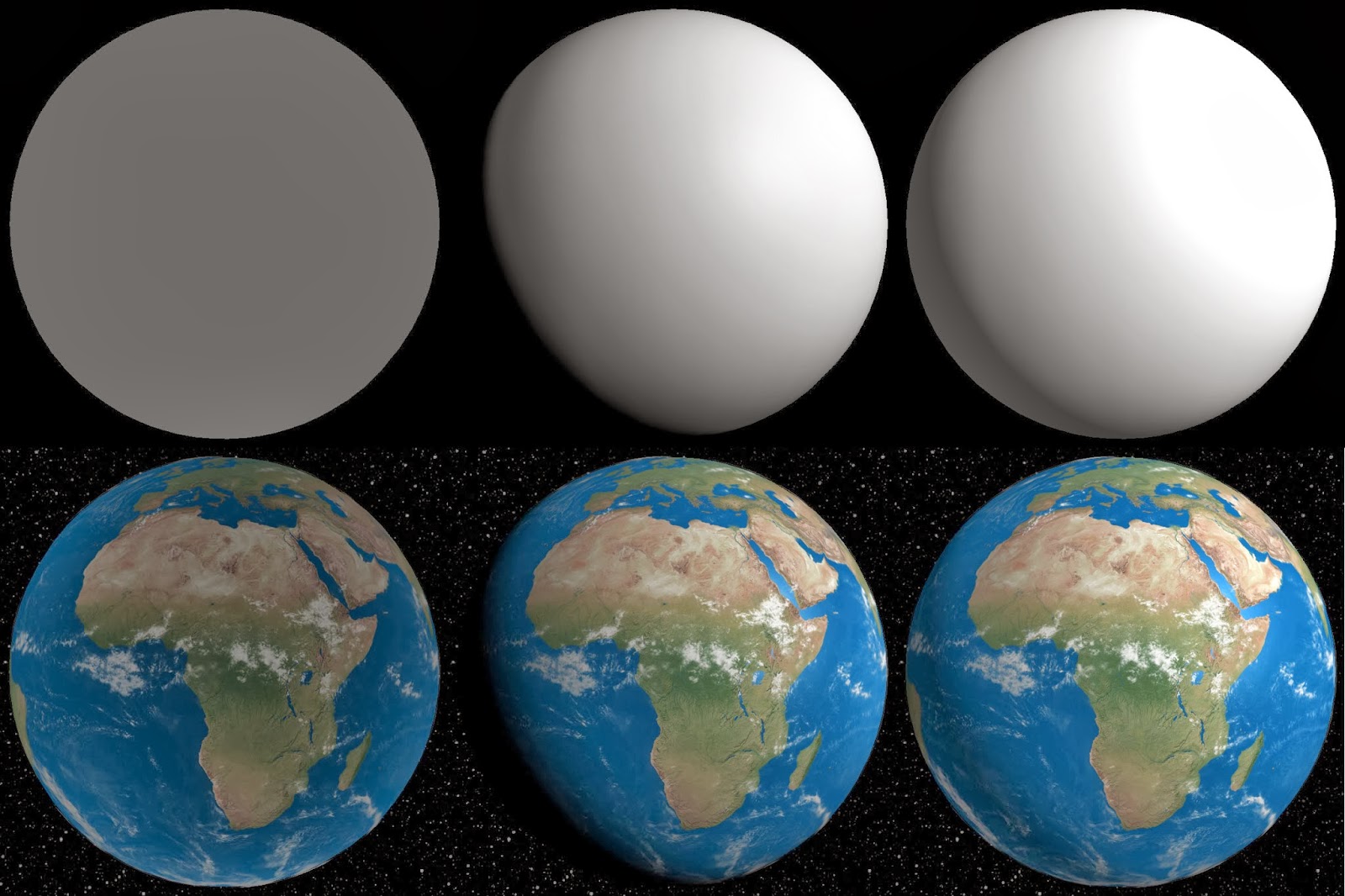
scene 的作用用来跟踪与展示我们需要展示的对象们,接下来添加光效,如下图所示,分别为:Ambient light、Directional light 以及 ·Ambient & Directional light`:
scene.add(new THREE.AmbientLight(0x333333))
const directionalLight = new THREE.DirectionalLight(0xffffff, 1)
directionalLight.position.set(5, 3, 5)
scene.add(directionalLight)